Where Users Drop Off in Signup Flows: The 5 Places to Look First
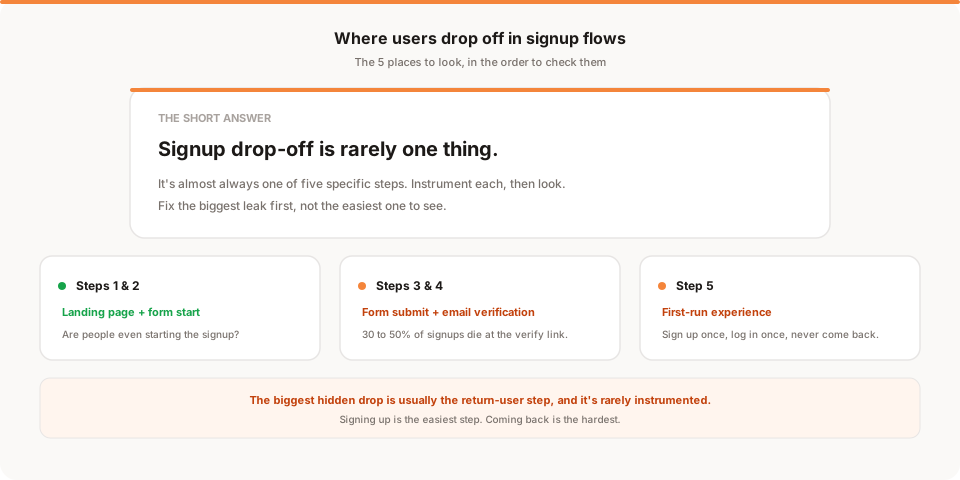
Signup drop-off is rarely a single problem. It's almost always one of five specific steps: the landing page (they never started), the email input (they thought better of it), the password input (they hit a friction spike), the email verification link (they never came back), or the first-run experience (they logged in once and never returned). Diagnose in that order because the earliest step you find a drop, the more people you save with each fix.
When someone says "we have a signup drop-off problem," they usually mean they don't know where it's happening. The end-to-end conversion looks bad, but they can't tell if it's the landing page copy, the form itself, the email verification, or the fact that users log in once and never come back.
The good news: signup drop-off is almost never mysterious once you look at it in the right shape. There are five specific steps where users leave, and the drop is almost always concentrated in one or two of them. Fix those, and end-to-end conversion moves.
This post walks through the five in the order you should check them, plus how to instrument each and what to actually do when you find the drop. If you're doing this from scratch, you can set up the tracking in an afternoon.
First: the shape of a signup funnel
Every signup, whether it's B2B SaaS, a consumer app, or an ecommerce checkout, has roughly the same five gates:
- Landing page view. They arrived and saw the "Sign up" button.
- Signup form started. They clicked the button and started typing (usually email first).
- Signup form completed. They finished typing everything, including password, and hit submit.
- Account activated. They verified their email, if you require that.
- First value moment. They did the first meaningful thing in your product (created something, invited someone, connected an integration, hit the "aha" moment).
Anywhere between these five, users can leave. Your job is to figure out which gap is the biggest, and fix that one first.
Step 1: Are they even starting?
The most common invisible drop is the one before the funnel begins. People land on your page, look at your pricing or headline, and close the tab. If 100 people see your landing page and only 5 click "Sign up," instrumenting the rest of the funnel won't help.
How to detect it:
Compare landing page views to "signup form started" events. If less than 15 to 25% of visitors even start a signup, the problem is upstream of the form. You have a page problem, not a funnel problem.
What to fix:
- Copy that doesn't match search intent (they were looking for something else)
- Pricing that surprises people (they scrolled to pricing, saw the number, left)
- Missing "who is this for" copy (they can't tell if it applies to them)
- Slow page load (14% drop for every extra second of load time, per Google's data)
If you fix the landing page and starts increase, everything downstream improves proportionally. If you never fix the landing page and just optimise the form, you're squeezing a bigger drop rate out of a small pool.
For a deeper dive on this specific problem, see our post on why your conversion rate is low.
Step 2: Are they starting but not finishing the form?
They clicked "Sign up." They typed their email. Then they left. This is where most people expect to find the drop, and it's usually smaller than they think.
How to detect it:
Two events: "signup form started" (fired when they type the first character in any field) and "signup form completed" (fired when the form submits successfully). Compare.
If more than 40% of form-starters don't submit, you have a form problem. If the drop is smaller than 40%, the form is not your main problem, keep looking.
What causes it:
- Too many fields. Every field roughly halves the completion rate. Two fields (email, password) is a reasonable baseline. Anything you can collect later (company name, team size, role) should be collected later.
- Password requirements that fail silently. If your password rule is "8 characters, one uppercase, one number, one symbol" and you don't show it until they type a bad one, half your users abandon at that moment.
- Confusing error messages. "Something went wrong" is why they leave. "That email already exists, log in instead" is a rescue.
- Social login that doesn't actually work. Broken Google or GitHub buttons are a top-3 abandonment cause on developer-focused products. Test both weekly.
- Missing "log in" link. If someone already has an account and there's no clear log-in path from the signup page, they close the tab.
What to fix, in this order:
- Cut fields to the minimum
- Show password requirements before they type
- Make error messages tell them what to do next
- Add a clear "already have an account? Log in" link
Step 3: Are they finishing the form but not verifying email?
If you require email verification, this is almost always the biggest single drop in the whole funnel.
How to detect it:
Compare "account created" (form submitted successfully) to "email verified" (they clicked the link in the email). A drop of 20 to 40% here is normal. A drop of 50 to 70% means something is broken.
What causes it:
- The email doesn't arrive. Deliverability. Check if you're landing in spam or promotions. If you're on a shared IP or a domain with a bad reputation, verification emails get eaten.
- The email arrives an hour later. By the time they see it, they've forgotten why they signed up. Verification emails should send within 30 seconds. Anything slower and completion drops in proportion.
- The email link expires. If someone signs up on their phone, doesn't have email set up, then opens the link on desktop three hours later and it says "expired," they don't try again. 24-hour expiry minimum, ideally 72 hours.
- The email is boring. "Confirm your email" as the subject line is the reason it gets ignored. Something specific to the product ("You're in. One click to activate your Muro account.") lifts the click rate by 20 to 40%.
- The user thinks they're done. They typed everything, saw a "Welcome" message, and closed the tab. If your post-signup screen doesn't say "check your email now," a chunk of users assume they're set up.
What to fix:
- Test deliverability with tools like Mail-Tester or GlockApps
- Send verification email within 30 seconds
- Make the CTA button in the email specific (not "Verify email")
- On the post-signup screen, say "check your inbox now" in big text
- Consider making verification optional or delayed (let them use the product first, prompt to verify inside)
Step 4: Are they verified but not logging in?
They verified their email. Then nothing. This one is subtle because most funnel dashboards stop after "account created" and never look at whether the user came back.
How to detect it:
Instrument two events: "email verified" (they clicked the link) and "first session" (they landed in the app after verifying). If verified users take longer than 24 hours on average to have a first session, or if less than 60% ever have one, this is your problem.
What causes it:
- The verification email doesn't clearly link into the product. They click "verify," see a "your email is verified" screen, and there's no clear next action. They close the tab.
- The verification link opens on the wrong device. They clicked from phone email, verified, and were told to "go log in on desktop." Half of them never do.
- They forgot which product this was. By the time they saw the email, an hour had passed, and the product name didn't stick. This is why product-specific subject lines matter.
What to fix:
- After verification, land them directly in the product, logged in, with something to do
- If they verified on mobile and your product is desktop-only, send a "get started on desktop" reminder later, don't just say "go find your laptop"
- Make the verification confirmation screen include the product name and value prop again
Step 5: Are they logging in once and never returning?
This is the drop that most teams don't count as a signup problem, and it's usually the biggest gap in the entire funnel. Someone signs up, does one session, and vanishes.
How to detect it:
Compare "first session" (they made it into the product) to "second session" (they came back within 7 days). If less than 40% of first-session users come back, this is where you're losing them.
What causes it:
- The empty state is empty. They logged in, saw a blank dashboard, didn't know what to do, and left.
- The value takes too long to arrive. They can't get to the "aha moment" in their first session because setup requires a spreadsheet, an integration, or a call with sales.
- Nothing pulls them back. No email digest, no notification, no reason to open the tool again tomorrow. Signup is a peak-motivation moment. If you don't capture that motivation with an immediate action, it's gone.
- They forgot they signed up. Sounds silly but it's the number one reason users don't return. If your product isn't top of mind and you don't remind them, they don't come back.
What to fix:
- Give first-session users something to do immediately (empty state with clear "start here" action)
- Send a "welcome, here's how to get value in 5 minutes" email within 30 minutes
- Send a "here's what happened yesterday" email the day after signup
- Reduce time-to-value: if your product takes 3 clicks to show value, cut it to 1
- Consider a daily email digest that keeps the product visible without requiring them to open it
For much more on this specific problem, see why users don't come back and how to fix retention early.
The common mistake when diagnosing drop-off
Teams look at overall conversion (landing to activated) and try to A/B test the form. They rarely instrument the intermediate steps. They rarely instrument what happens after signup. They chase a 2% form improvement while ignoring a 40% verification drop and a 60% return-user drop.
The order in this post matters. Fix the biggest leak first, not the easiest one to see.
What Muro tells you about this
If you're using Muro, the daily email summarises where signups came from and how signup volume changed vs last week. It won't tell you why users dropped at a specific step, that requires the step-by-step instrumentation described above. What it will tell you is whether your overall signup number moved up or down after a change, which is the check you need after fixing something.
Any traffic analytics tool will show you signup totals. What you need for full funnel diagnosis is event tracking (Mixpanel, PostHog, or a custom setup). Pair the two and you'll see both the outside view (traffic, sources, totals) and the inside view (step-by-step drop) without having to build one giant dashboard.
Start at muroanalytics.com if you want the outside view without a dashboard to check. And read our onboarding improvement guide if step 5 turns out to be your problem.
The signup funnel isn't magic. It's five gates. Instrument them, find the leak, fix that one. Repeat once a quarter.